Why can't I see the nebula in my photo?
Because stars and nebulae are not equally easy to capture. Stars are small, bright points of light that show up in seconds; a nebula is faint, spread-out glowing gas that needs much more total exposure and a harder brightness stretch before it becomes visible at all. Clean stars with no nebula is one of the most common results in astrophotography, not a sign anything went wrong.
By Skai · Updated 2026-08-12
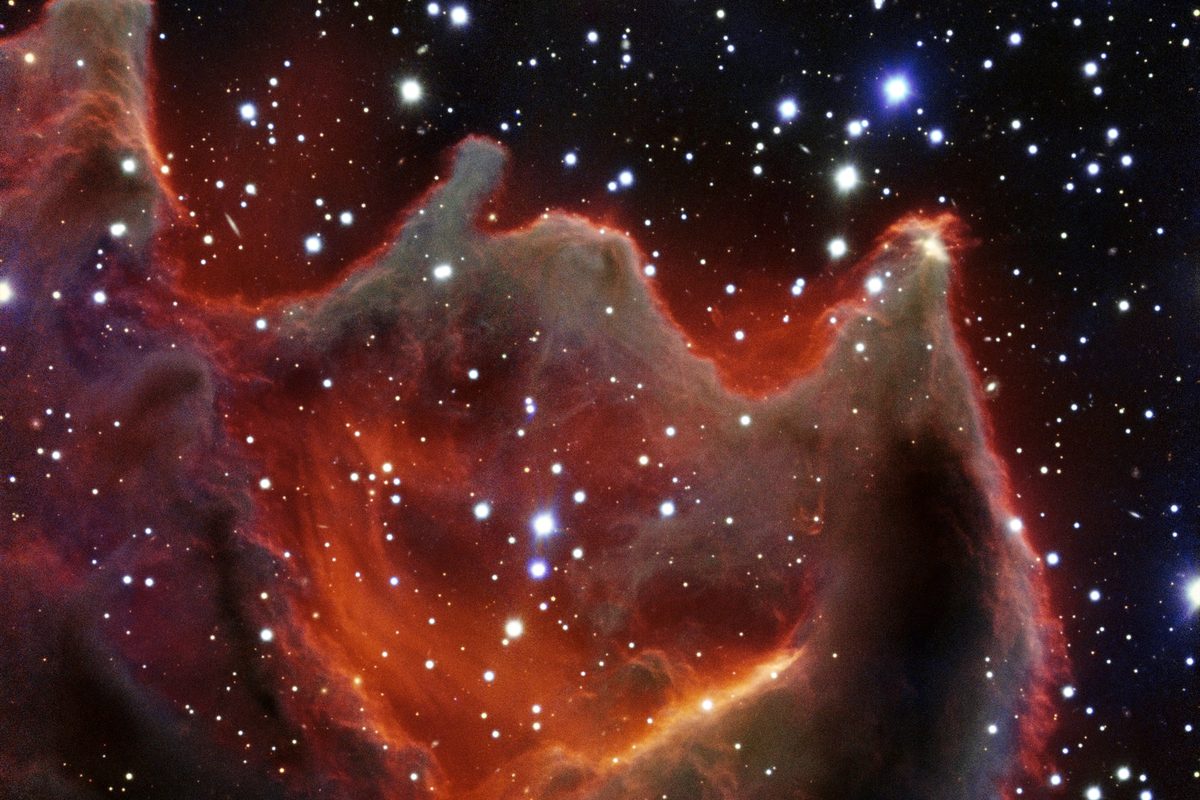
CG4 looks bright and detailed here only because of hours of telescope exposure — visually it's a genuinely faint target, easy to miss entirely in a beginner's frame. Photo: ESO (CC BY 4.0)
There are a few different reasons a nebula stays invisible, and they call for different fixes. Being honest about which one applies matters, because the wrong fix wastes a clear night — stretching harder does nothing if the real problem is total exposure time, and more exposure time doesn't help if you're actually pointed at the wrong patch of sky.
Most likely: the signal is there but still needs a harder stretch
Stretching (remapping an image's brightness values so faint signal spreads out into a range the eye can see) has to go further for a nebula than it does for stars, because the nebula's real brightness is a much smaller fraction of the sensor's range to begin with. Try pushing the stretch further than feels natural, in stages, and specifically watch the background around where the nebula should be — a very faint haze appearing there, even a subtle one, means the data exists and just needs more processing, not more clear nights.
Likely if a hard stretch shows only noise: not enough total exposure
If pushing the stretch hard reveals grain but no hint of shape where the nebula should be, the target's total exposure time (all your subs added together) was probably too short for how faint it is. Some nebulae are simply much fainter than others — an emission nebula under a dark sky might show weakly in 20 minutes total, while a faint reflection nebula under city light pollution can need several hours. This is a "shoot more, not process harder" situation.
Possible: light pollution is drowning out the nebula's own faint glow
Under a bright sky, the background glow competes directly with the nebula's own light, and stretching mostly just brightens the light pollution along with everything else. A narrowband or light-pollution filter, which blocks the specific wavelengths streetlights emit while passing the nebula's own light through, can recover targets that are otherwise nearly impossible from a city balcony. This mainly helps emission nebulae (the ones that glow in specific wavelengths); it does much less for reflection nebulae, which shine with reflected starlight across the whole visible spectrum.
Worth ruling out first: pointed at the wrong spot
Before assuming a processing or exposure problem, check the basics: compare your frame's star pattern against a planetarium app or a reference photo of the target. A framing mistake or a GoTo mount slightly off target puts the nebula just outside the shot, and no amount of stretching or extra exposure brings back something that was never captured in the frame in the first place.
These causes overlap in practice — a genuinely faint target under light-polluted skies can need more exposure, a filter, and a harder stretch all at once. There isn't always one single answer, and treating it as one can send you chasing the wrong fix for a whole session.
Not sure which of these applies to your data?
The free diagnosis tool looks at your actual file and tells you whether it's a stretch problem, an exposure problem, or something else.
Diagnose my image, free