How to photograph a solar eclipse with an iPhone (or any phone)
No telescope needed, and no filter kit either. A phone gets a real eclipse photo if you protect the sensor, lock your settings, and know what a small lens can and can't capture.
By Skai · Updated 2026-10-17
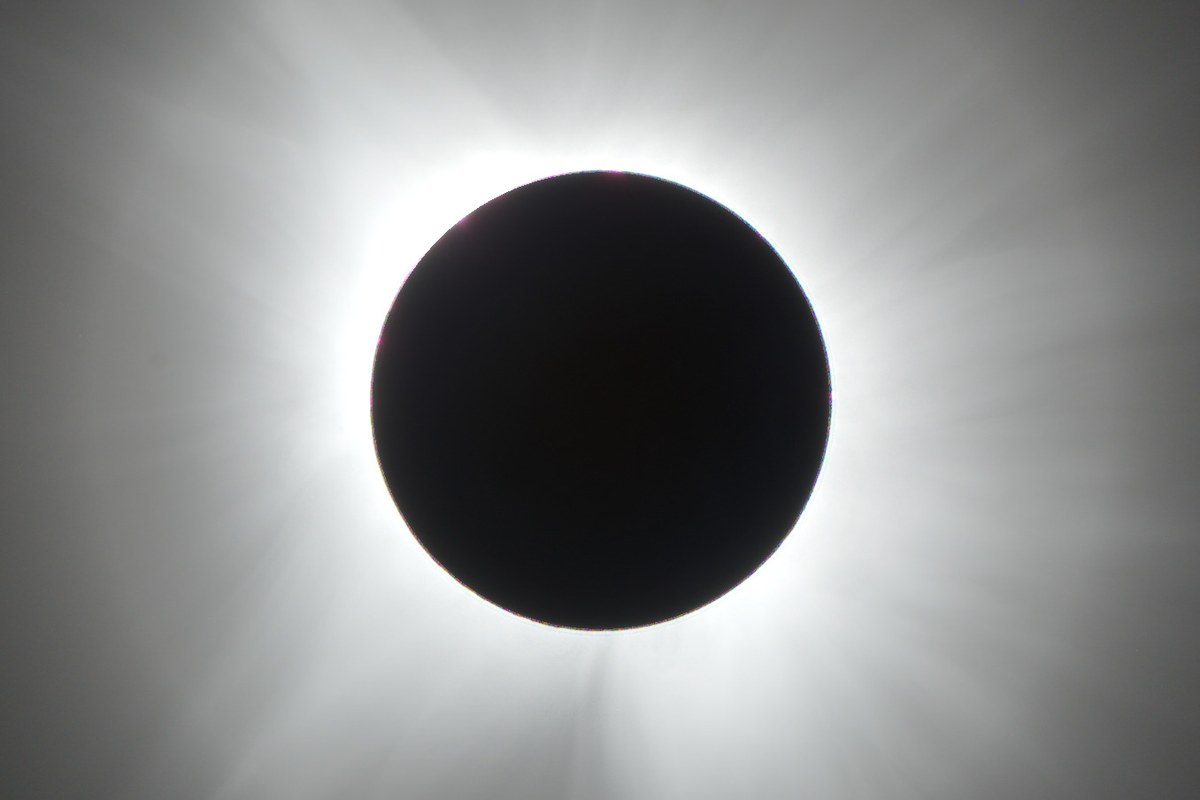
Totality merged from a real 2024 bracket set (Eclipse Megamovie, CC0)
You don't need a telescope to bring home a decent eclipse photo. A phone camera has real limits: a small sensor, a short lens, and no manual optics to speak of. With the right prep, though, it can capture the partial phases cleanly, get a striking wide shot of totality, and produce a set of exposures worth processing into something better than any single frame. This guide covers how, phase by phase.
Before anything: protect the sensor
For every part of the eclipse except totality itself, the sun is still bright enough to damage things pointed straight at it, and that includes your phone's sensor, not just your eyes. Tape or hold a certified solar filter (the same ISO 12312-2 solar film used in eclipse glasses) flush over the phone's lens before you shoot any partial phase. A cheap pair of eclipse glasses held against the lens works in a pinch, as long as it fully covers the opening. Never point an unfiltered phone at the sun outside totality: at best you get a blown-out white blob, at worst a permanently damaged sensor or a burned pixel cluster that shows up in every photo afterward.
The moment totality begins, when the sun is fully covered, the sky is dark, and the corona is visible, the filter comes off. That's the only window where it's safe to shoot the sun itself without one. The instant totality ends, before you can even think about it, the filter goes back on.
Lock your exposure and focus manually
Auto-exposure fights you the entire time. It wants to brighten a mostly dark frame, which blows out the thin sliver of sun or corona you're actually trying to capture. Tap and hold on the sun's disc (with the filter on) to lock focus and exposure, then drag the exposure slider down manually until the disc stops clipping to pure white. During totality, drop exposure again and re-lock, since the sky is far darker and the corona far fainter than during the partial phases.
A basic tripod or phone clamp beats handheld every time, even one propped against a jacket on a wall. At the low light levels around totality, a slight shake at longer shutter speeds smears the frame. A steady brace is worth more than any setting.
At totality: burst mode, filter off, exposure series
When totality hits, switch to burst mode and fire a rapid sequence rather than hunting for one perfect frame. Totality is over in a couple of minutes and you don't get a second take. If your phone lets you bracket exposures (several shots at different brightness levels in sequence), use it. The corona's brightness falls off steeply from the inner ring to the faint outer streamers, and no single exposure holds all of it. A short burst across a few exposure levels gives you a range to work with afterward, the same idea as HDR bracketing for a sunset, just faster and stranger looking on your screen.
If your phone supports RAW or ProRAW, use it for at least part of the burst. RAW keeps tonal range that a compressed JPEG throws away, and that range is exactly what separates a flat, clipped eclipse photo from one with real depth in the corona.
Don't sleep on the wide shot
A phone's biggest photographic advantage during an eclipse is everything around the disc, not the disc itself. The horizon glow of a 360-degree sunset, the crowd looking up, the odd quality of light on the landscape: a zoom lens can't take any of these shots, and a phone captures them effortlessly. If you only get one great frame from the day, it's more likely to be a wide shot with the eclipsed sun small in the sky than a close-up of the disc.
The honest limit
Be realistic about what a phone lens can resolve. It cannot capture the fine corona detail (the streamers, the structure, the delicate outer glow) the way a dedicated camera with a longer lens can. The disc will be small, and pushing digital zoom just enlarges soft, noisy pixels instead of revealing more. What actually pays off is shooting an honest exposure series (bracketed, RAW if possible) and accepting that the phone's job is to capture the data. Recovering the full dynamic range from that data is a separate step, usually done afterward on a computer rather than in-camera.
The 12 August 2026 total solar eclipse
Totality on 12 August 2026 crossed Greenland, Iceland, and northern Spain. Most of the rest of Europe sees a deep partial eclipse instead of totality, falling in the evening for Iberia. If you're inside the path of totality, the filter-off window above applies to you directly. If you're watching a partial from further afield, treat the whole event as a partial phase: filter on, with no unfiltered exposure at any point.
Not sure what went wrong?
Send your bracketed frames, phone or camera, and find out what's fixable — free, no signup.
Get your free diagnosisRuns in your browser — nothing uploaded.
Shot it with a Seestar, DSLR or astro camera? Have the raw files processed for you: first session free.