Why are my stars lines instead of points?
Because the camera moved relative to the stars while the shutter was open — either because nothing was tracking the sky's motion at all, or because a tracking mount was running but not accurately enough for how long the exposure was. Focus is rarely the cause; a badly focused star stays round and just gets bigger and softer, it doesn't stretch into a line.
By Skai · Updated 2026-08-12
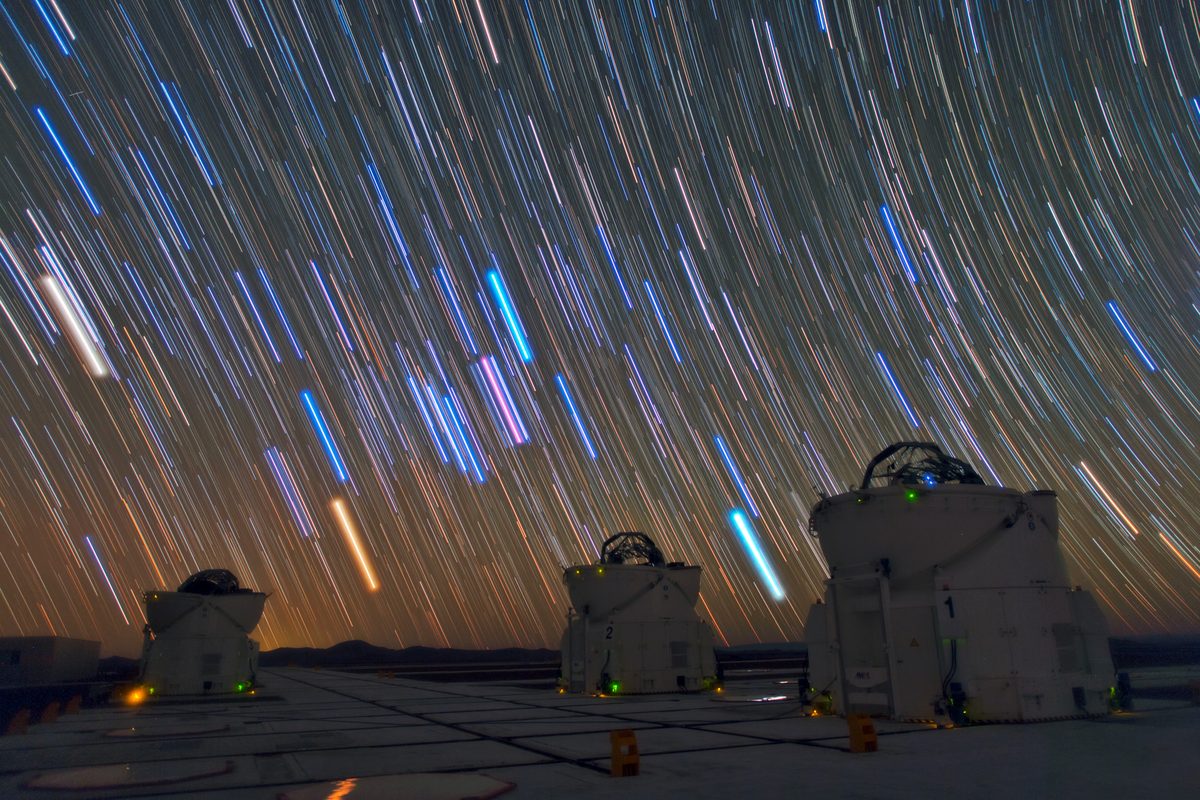
What happens when a camera doesn't track the sky's rotation: every star becomes a streak. Photo: ESO/B. Tafreshi (twanight.org) (CC BY 4.0)
The sky appears to rotate overhead because the Earth is turning, and a camera that isn't compensating for that rotation records each star as a short streak instead of a point over a long enough exposure. A tracking mount is built to cancel that motion out by turning at the same rate, but only if it's set up accurately — so the first question is always whether you were tracking at all, and the shape and direction of the trail narrows it down from there.
The direction of the trail is the tell
Zoom into a few stars across the full frame, not just the center. Whether they all trail the same way, trail in different directions, or only some of them trail, points to a different cause each time.
No tracking mount at all — this is expected, not a fault
On a fixed tripod with no tracking, star trailing is simply physics: the sky moves, the camera doesn't. As a rough guide, a stationary wide-angle exposure typically needs to stay well under about 10-20 seconds before trailing becomes visible, and the safe limit gets shorter the longer your lens's focal length is. If this describes your setup, the fix isn't a setting, it's either shortening the exposure or adding a tracking mount.
All stars trail the same direction and same length — polar alignment error
If you were using a tracking mount and every star trails roughly the same way across the whole frame, the mount's rotation axis probably isn't pointed accurately enough at the celestial pole (the fixed point in the sky the mount needs to track around). This is called polar alignment error, and it's the single most common tracking failure. Most mounts have a polar-alignment routine, often assisted by an app or a built-in scope — running it again, more carefully, resolves the large majority of this case.
Stars near the center stay round, edges stretch in different directions — field rotation
This is a more specific version of a polar alignment problem: the mount is tracking at close to the correct rate but around an axis that's slightly off from true, so the entire frame slowly rotates around a point instead of just drifting in one direction. It shows up as round stars near the frame's center and elongated ones toward the edges, sometimes trailing opposite ways on opposite sides. The fix is the same as above — refine the polar alignment — but this pattern confirms it's alignment rather than a different mechanical issue.
Short, jittery trailing that's inconsistent between frames — vibration or wind
If some subs from the same session show trailing and others from moments later don't, or the trailing looks like a short doubled jitter rather than one smooth streak, mechanical vibration (a gust of wind, a footstep near the tripod, a loose connection) is more likely than alignment. Check the mount's physical stability and tripod footing before re-doing a full polar alignment.
One case this can't sort out from a description alone: a slipping clutch or a guiding failure partway through a session can produce trailing that looks similar to polar alignment error but needs a different fix (mechanical, not alignment). If the pattern doesn't clearly match one of the above, that's a genuine "needs a closer look" situation rather than a clean answer.
Want to know which cause matches your frame?
The free diagnosis tool measures the trail direction and shape in your actual image and names the likely cause.
Diagnose my image, free